🕷️ Look where the transfer ends
A valid Spider action reverses gravity and transfers the icon to the nearest opposite solid surface. Choose the horizontal position of the switch so that surface is safe. This is an instant transfer, not the Ball’s gradual travel across the open space.
Study the destination before the input. A visually open area between floor and ceiling does not make the far surface safe. Find the platform you will reach and the hazard waiting at its edge.
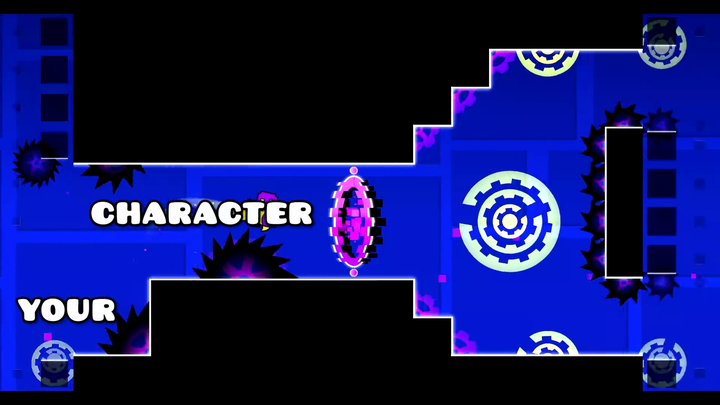
 Geometry Dash spider portal
Do not borrow the ball’s timing
The Ball travels under gravity after switching. The Spider transfers immediately. If you wait for a ball-like flight to pass, you may delay the next action long after the spider has already arrived.
The first opposite platform in the transfer direction is the destination. A more distant safe ledge does not help if a nearer solid surface catches the transfer. Read that contact and the obstacle beside it before choosing the next press.
📍 Destination before decoration
- Find the opposite platform that will stop the transfer.
- Check whether its contact area is safe.
- Locate the next spike relative to the new surface.
- Decide whether to wait or make another valid action.
🔍 A transfer that fails
| Symptom | Inspect first |
|---|---|
| Instant collision on the far side | The destination was unsafe or the transfer happened at the wrong horizontal position |
| Next input appears ineffective | The spider’s action state, contact, and whether a fresh press was made |
| Good local drill, bad normal entry | The portal approach and input carried into the form |
| Uncontrolled repeated transfers | The chosen hold or tap sequence may not match the route |
Specific objects and gravity conditions can alter the interaction. Read those as additional rules rather than assuming every transfer is an ordinary floor-to-ceiling action.
🧪 Practice a landing pair
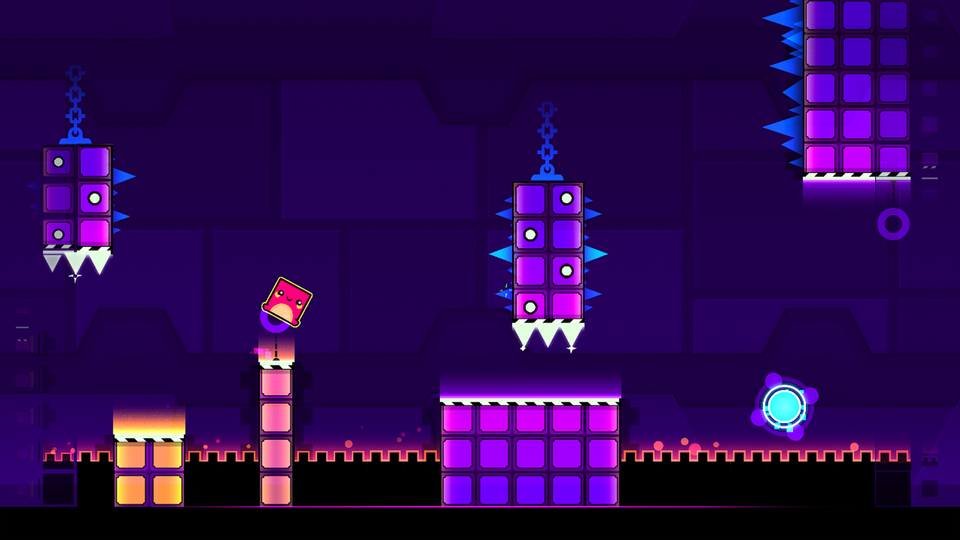
Choose two safe surfaces
Make the destination of each action clear before testing the sequence.
Transfer once
Observe the new position without adding another press immediately.
Choose the next action
Read the next destination from the surface you have reached.
Restore the approach
Include the previous form and portal so the first transfer occurs in context.
Build a readable mental map
Use a short instruction such as “upper ledge, wait, lower opening.” This names the actual route. A memorized burst of clicks can work locally and still break when you enter from a different setup.
The Spider belongs to editions that support the form. It is described here as part of the series, not as a feature promised inside the older browser adaptation.